
From a messy head to a clear next step.
Slycora is a daily planner for ADHD minds. It takes the deciding off you, so you only have to start. Here is how it works, step by step.
Capture: get it out of your head.
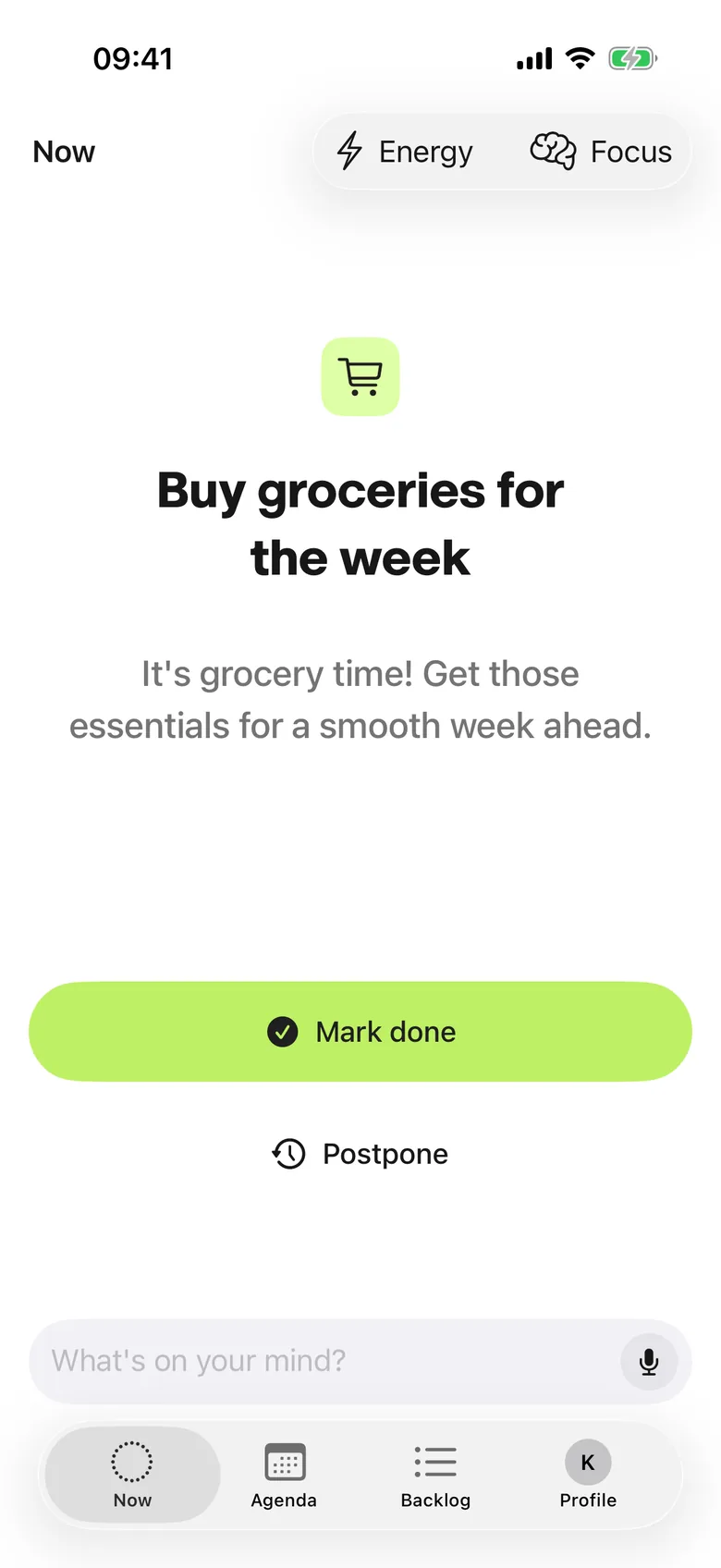
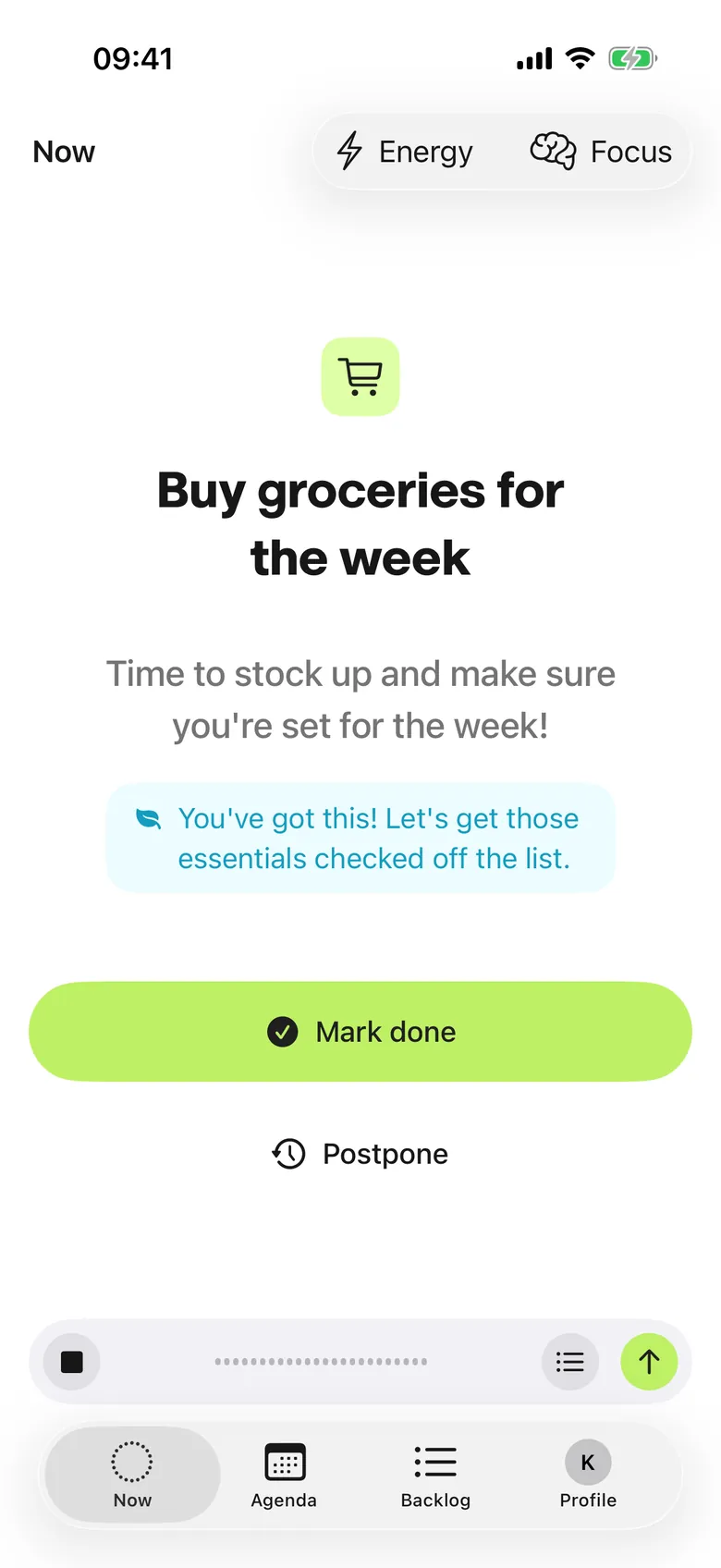
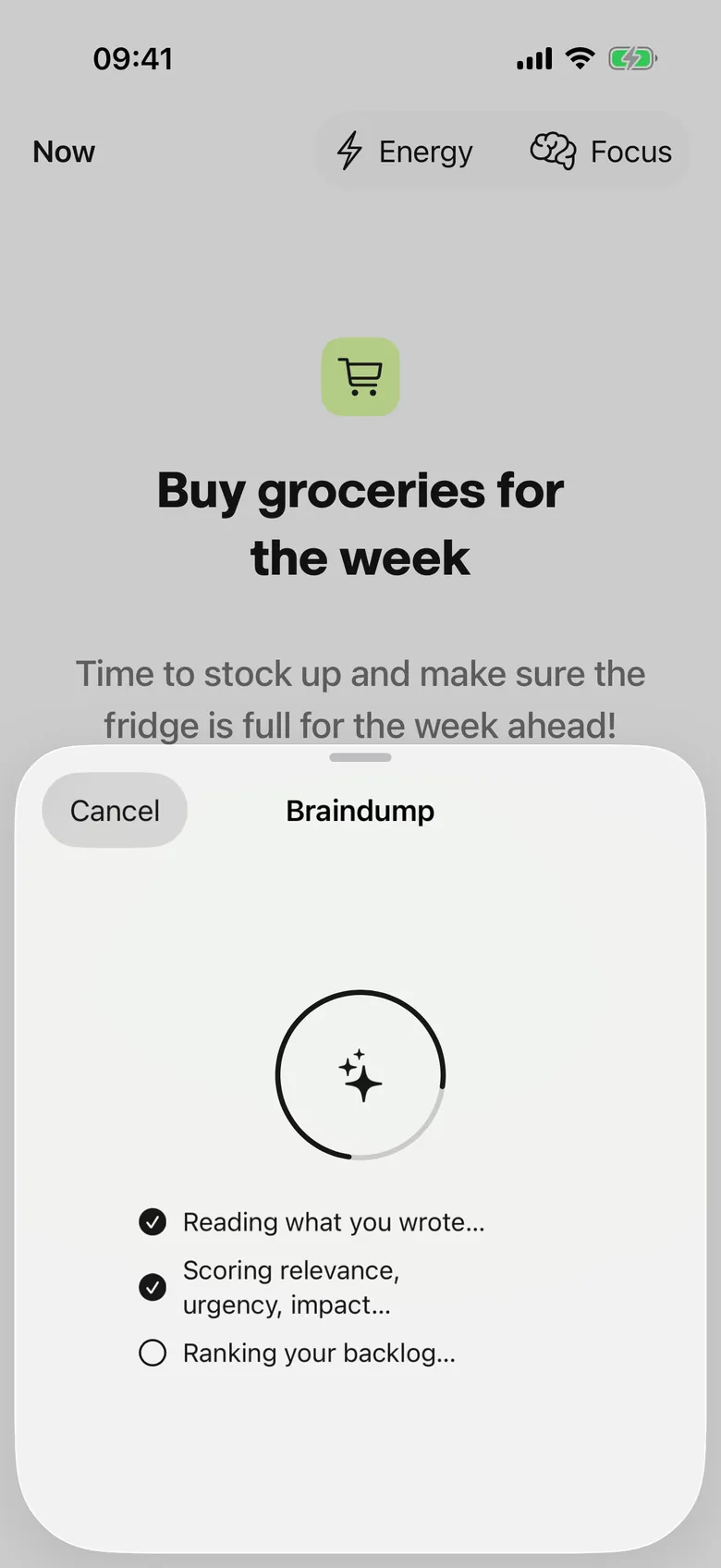
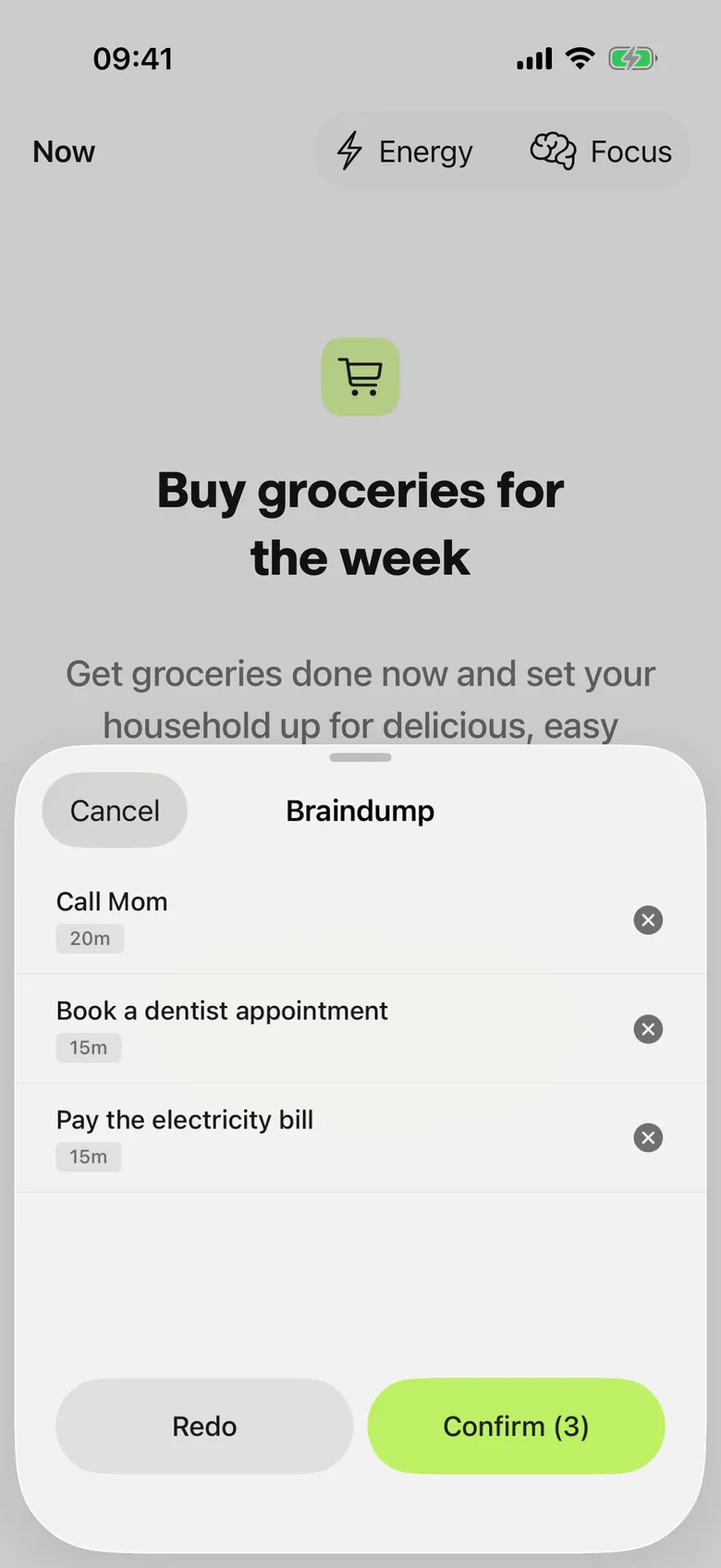
Type it, or tap the mic and say everything in one go. Slycora splits it into separate tasks and spots duplicates.
- YouType or speak what is on your mind.
- SlycoraSplits it into tasks and flags duplicates.
- WhyNothing is lost, and nothing is doubled.

Score: Slycora does the prioritizing.
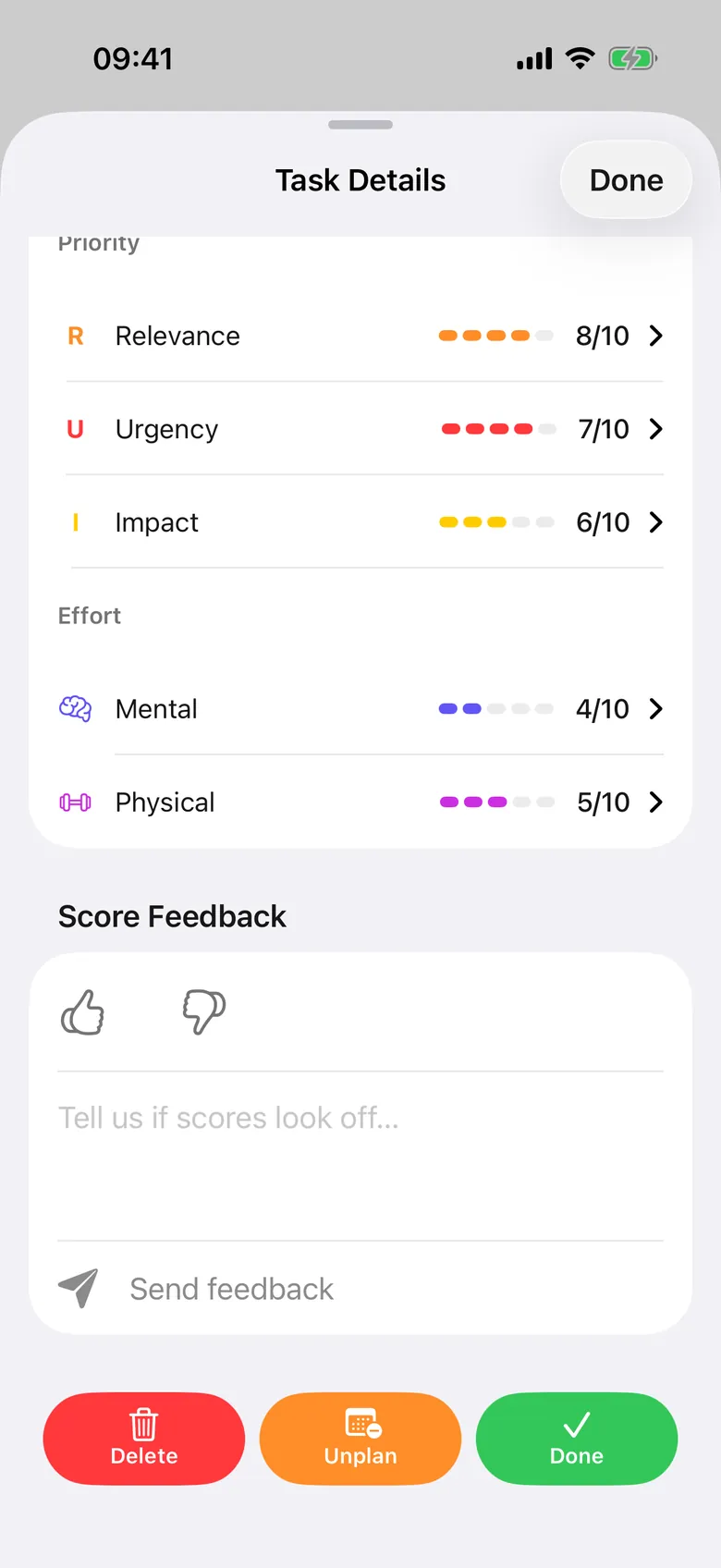
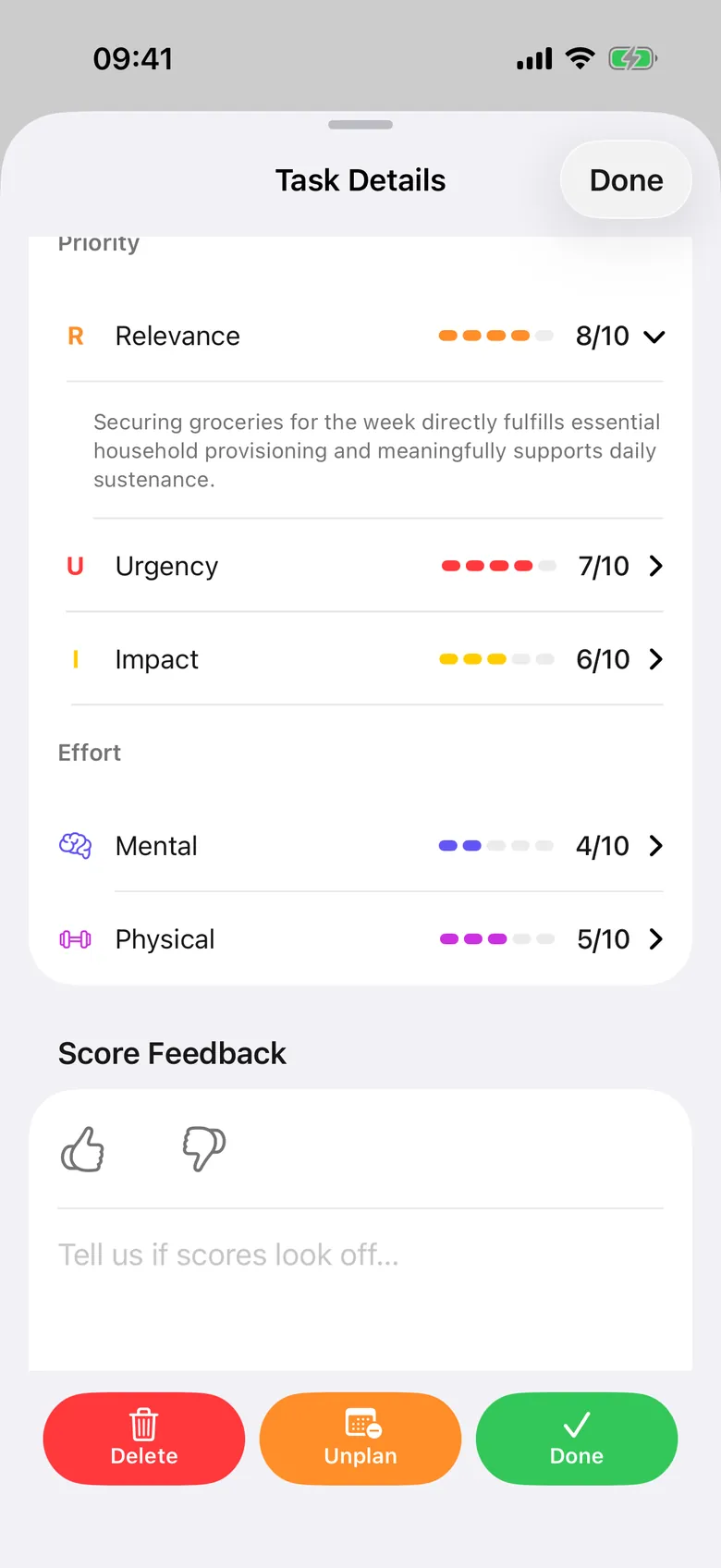
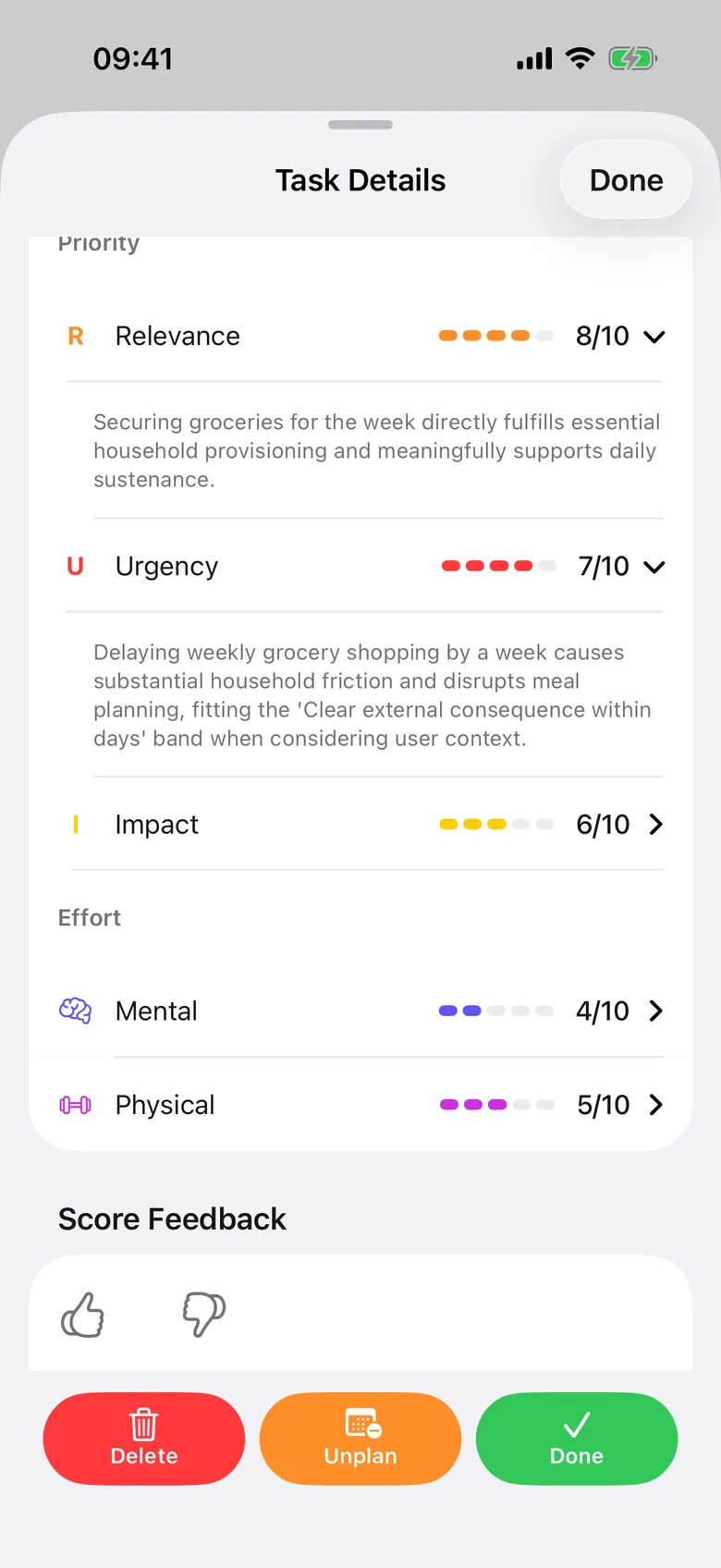
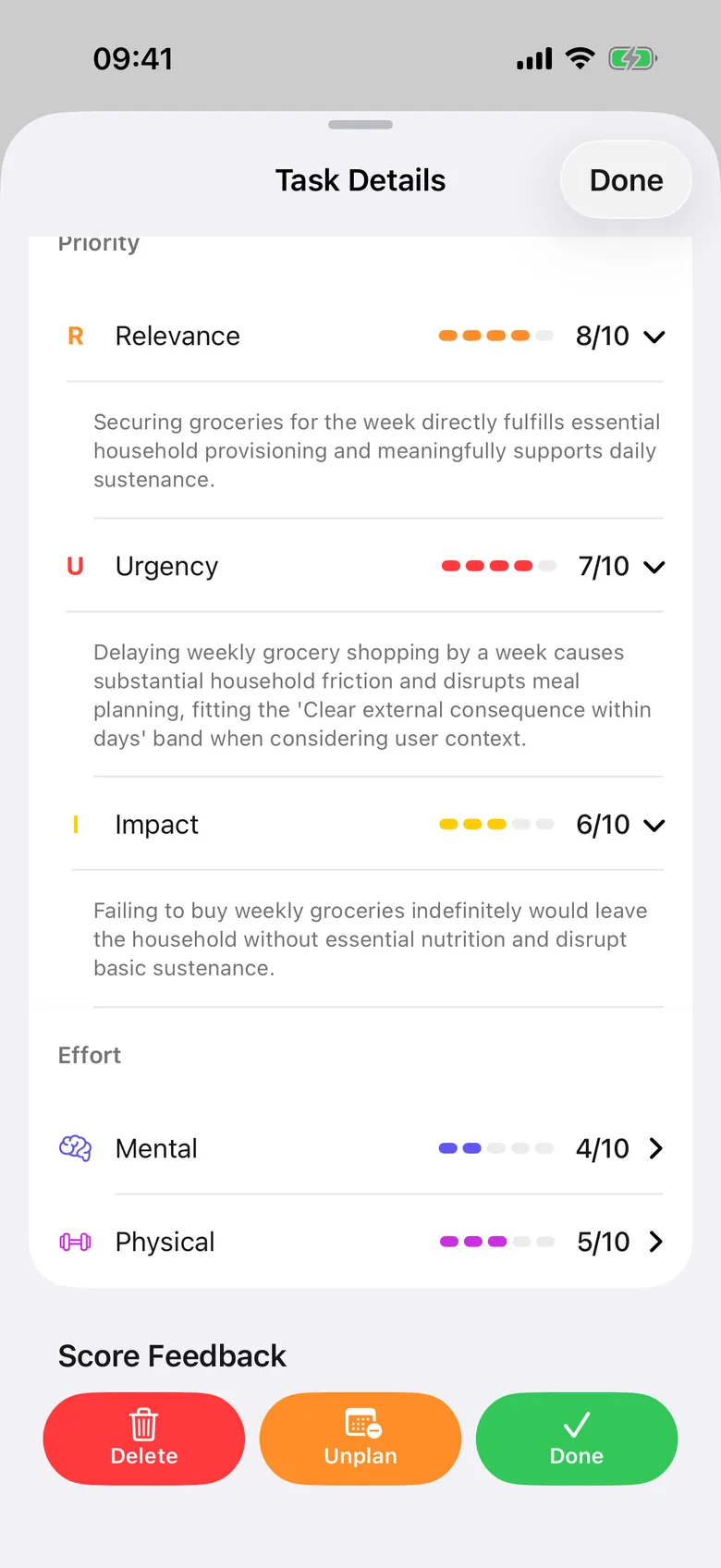
Every task gets three scores. Relevance: does this help me now? Urgency: how soon? Impact: does this help my future? Tap a score to read why, in plain words. Slycora also guesses how much mental and physical effort a task takes.
- YouNothing. Tap a score if you want to know why.
- SlycoraScores every task and estimates the effort.
- WhyYou never have to guess what matters most.
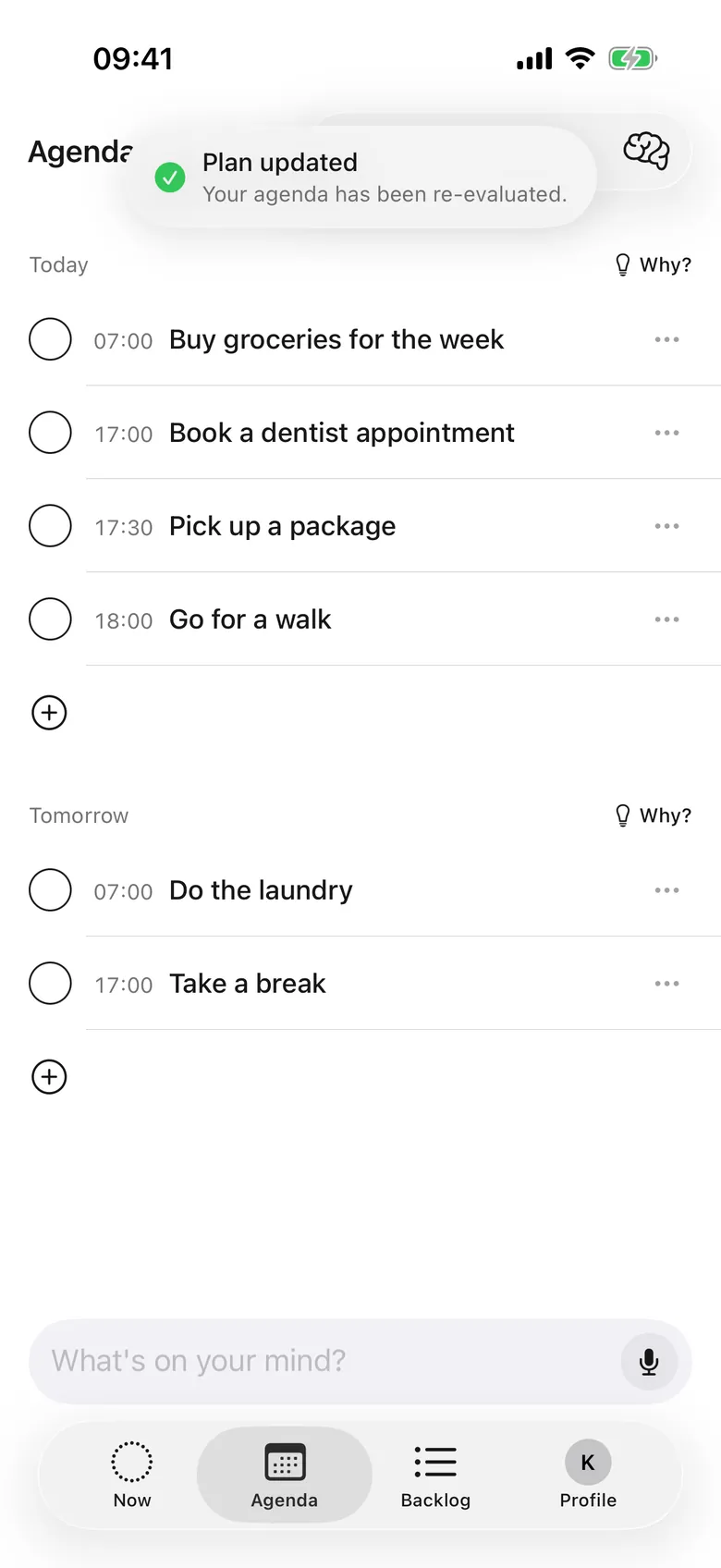
Plan: fit to the energy you have.
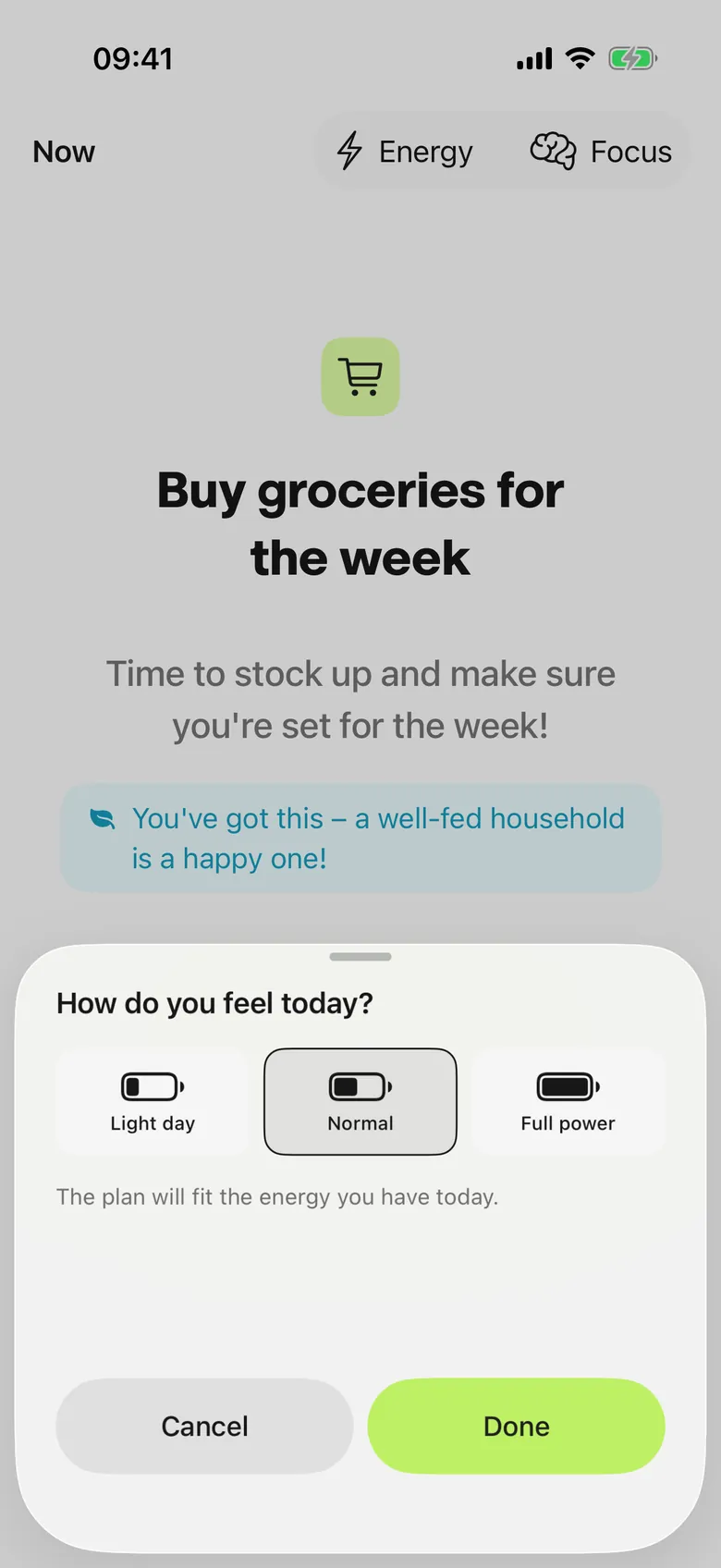
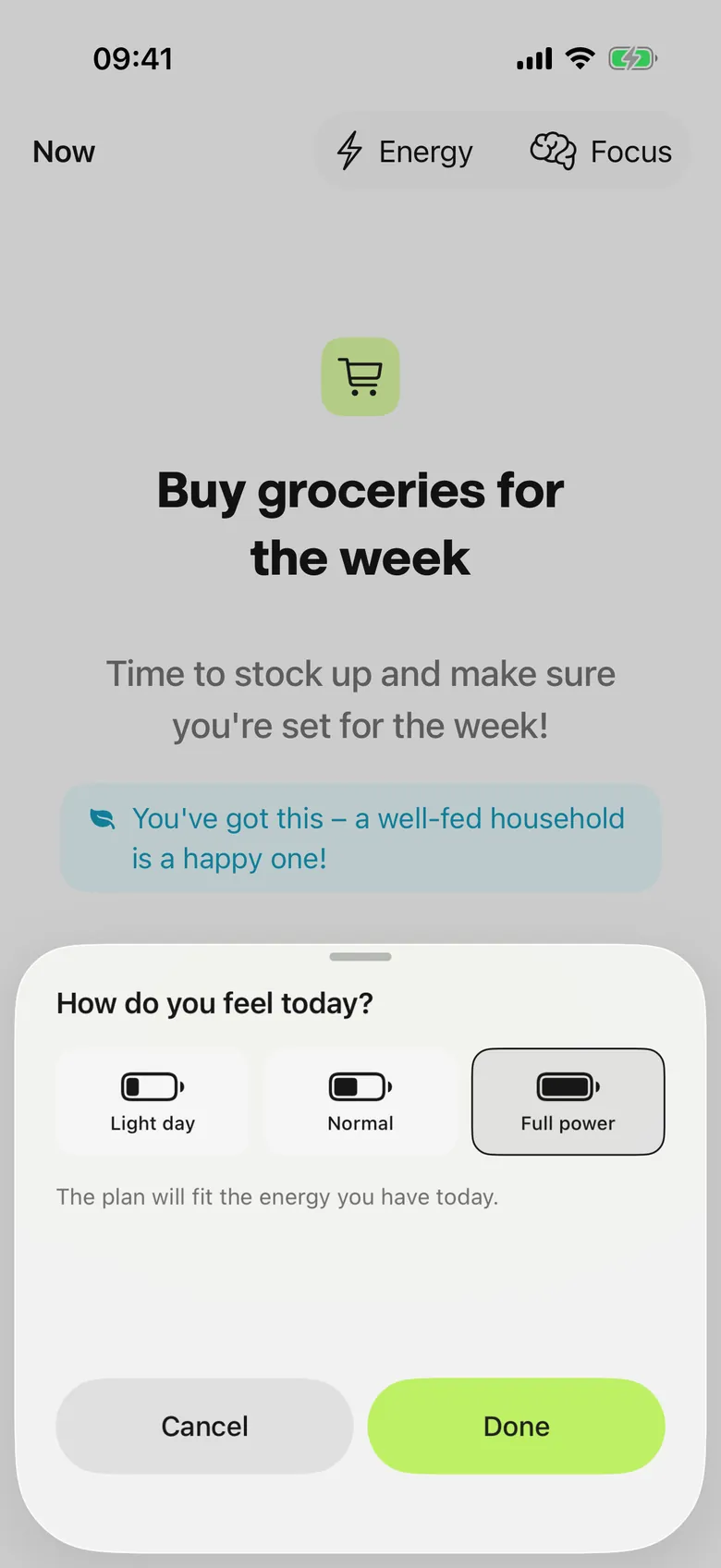
Say how much mental and physical energy a normal day holds. Slycora builds a plan that fits inside it. Once you connect your calendar, its events stay where they are.
- YouSet your energy once, then say how you feel today.
- SlycoraPlans the day inside that energy.
- WhyThe plan matches the day you can really have.
Do: one task at a time.
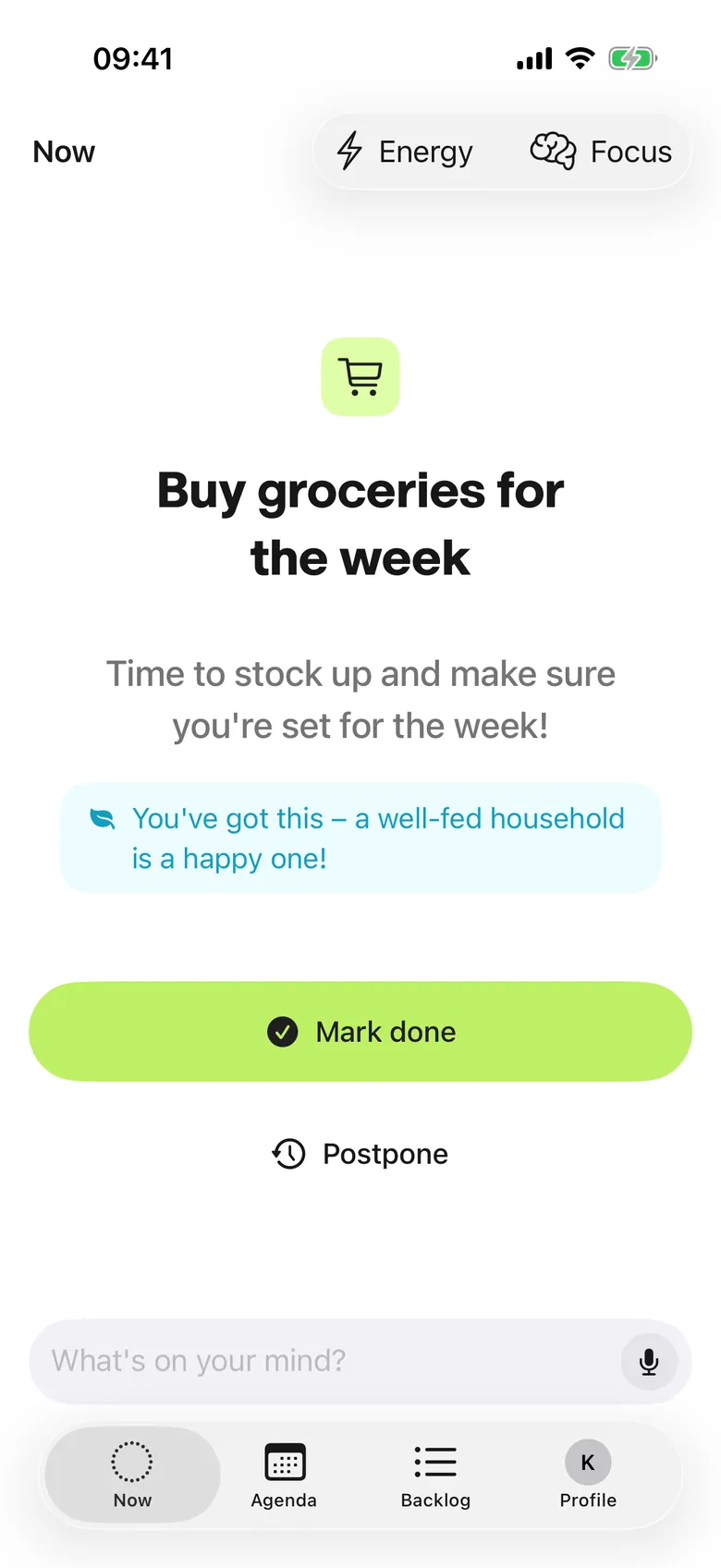
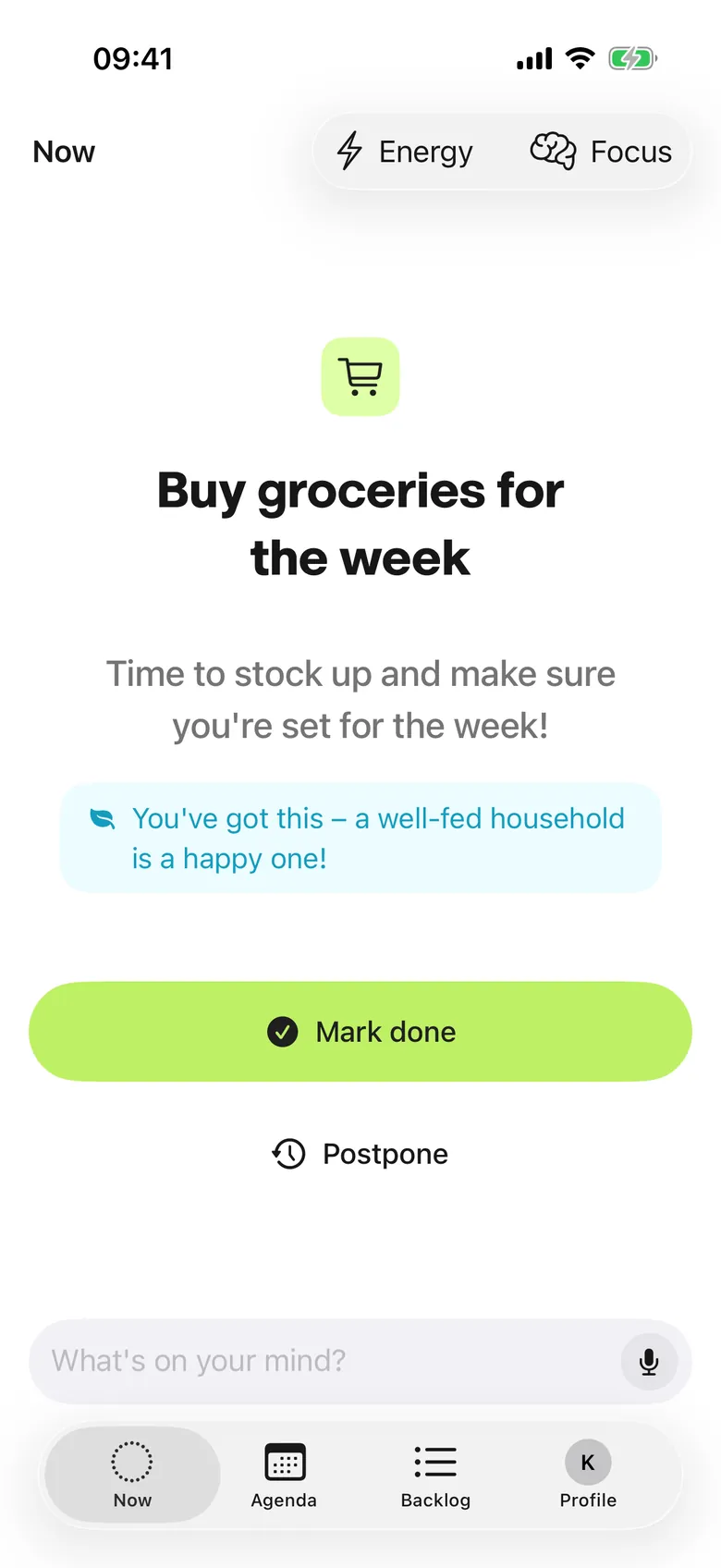
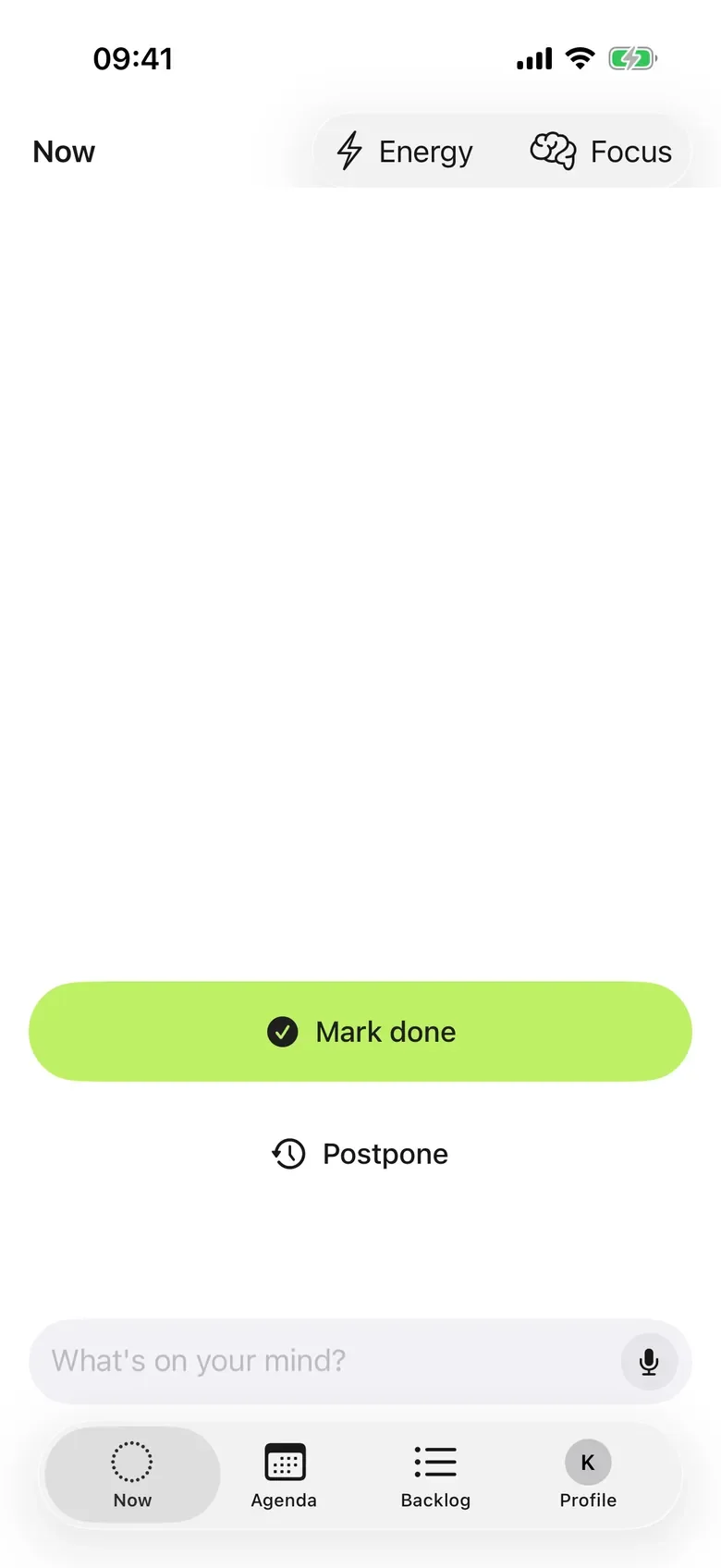
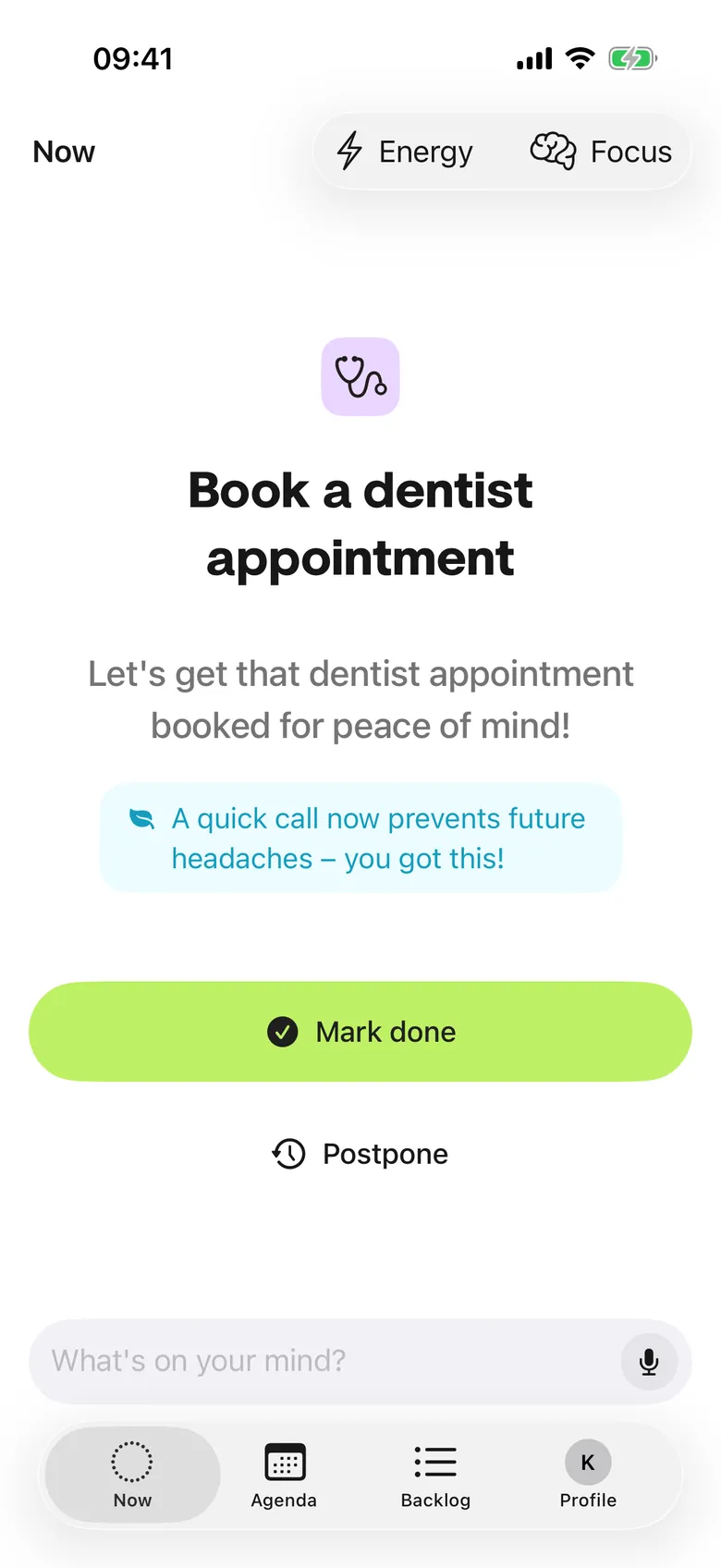
The Now screen shows one task and why it is next. Tap Done, or postpone it. The next one appears. No list to stare at.
- YouDo the task. Tap Done.
- SlycoraShows what is next, and why.
- WhyStarting gets simple: there is only one thing to start.
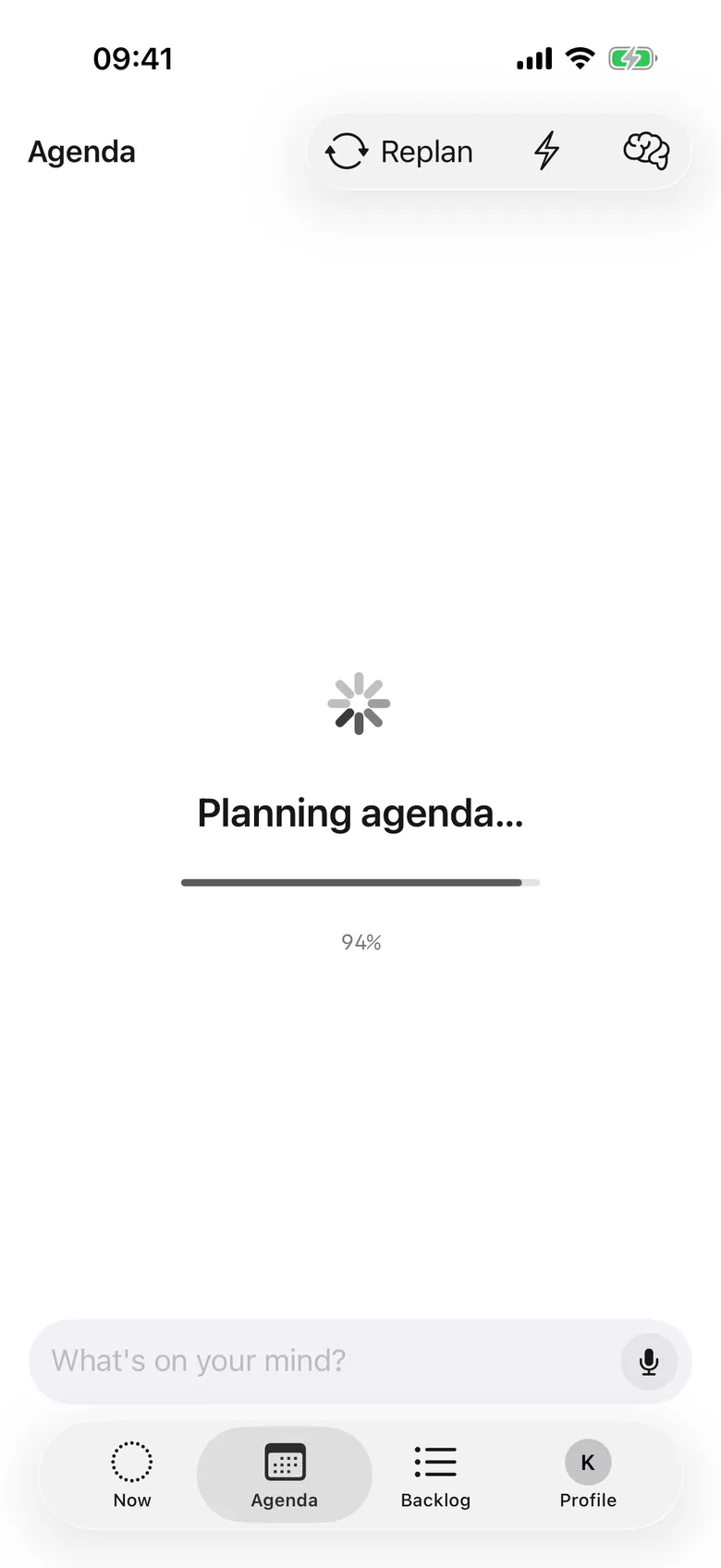
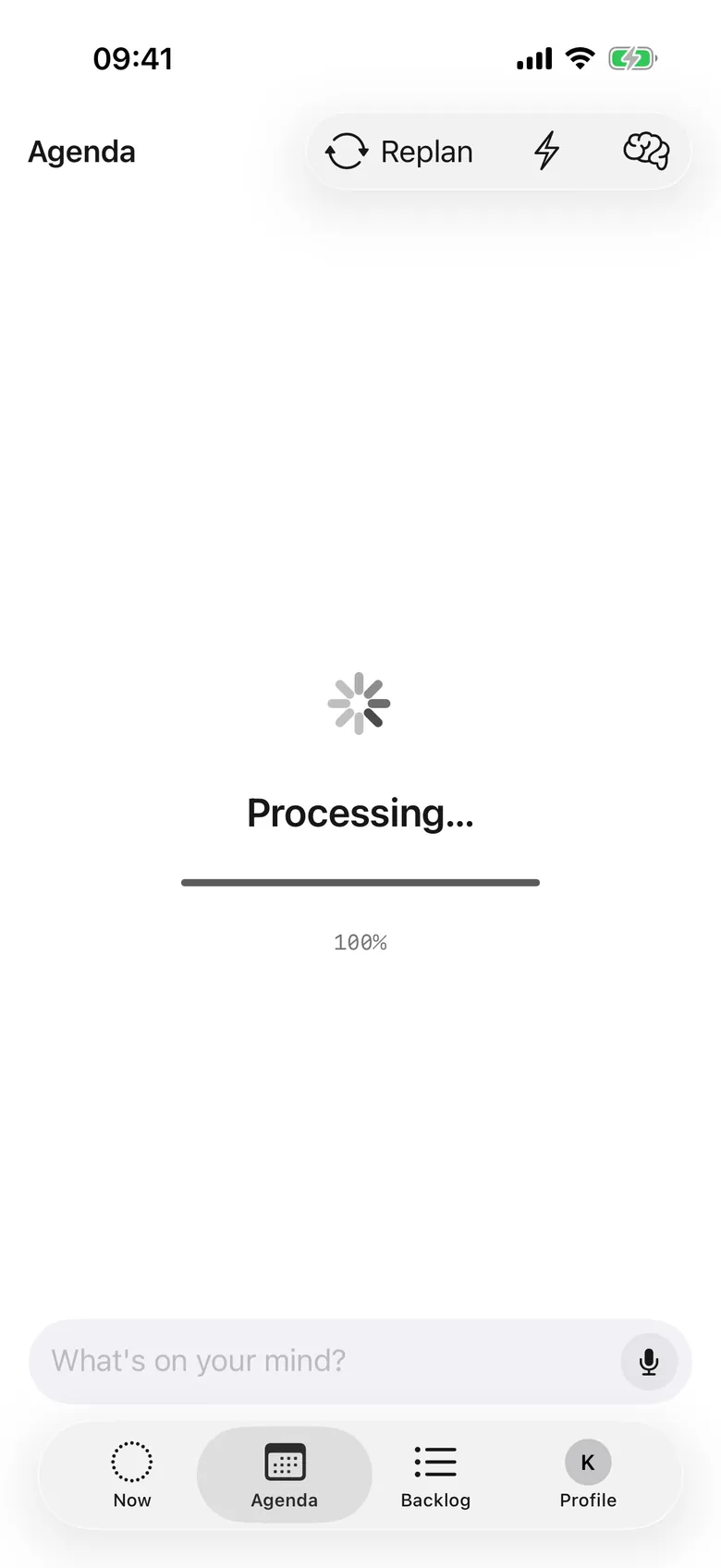
Adapt: when the day changes, so does the plan.
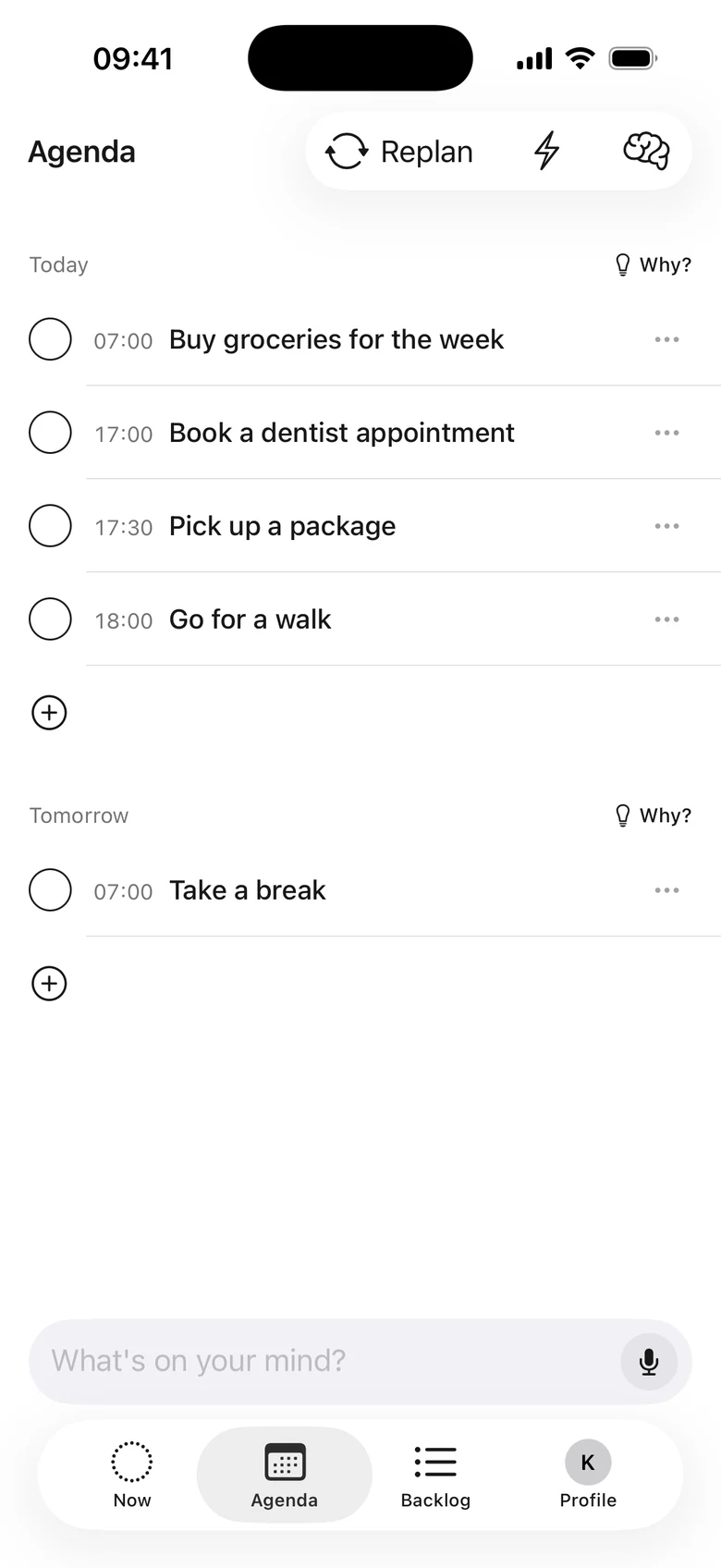
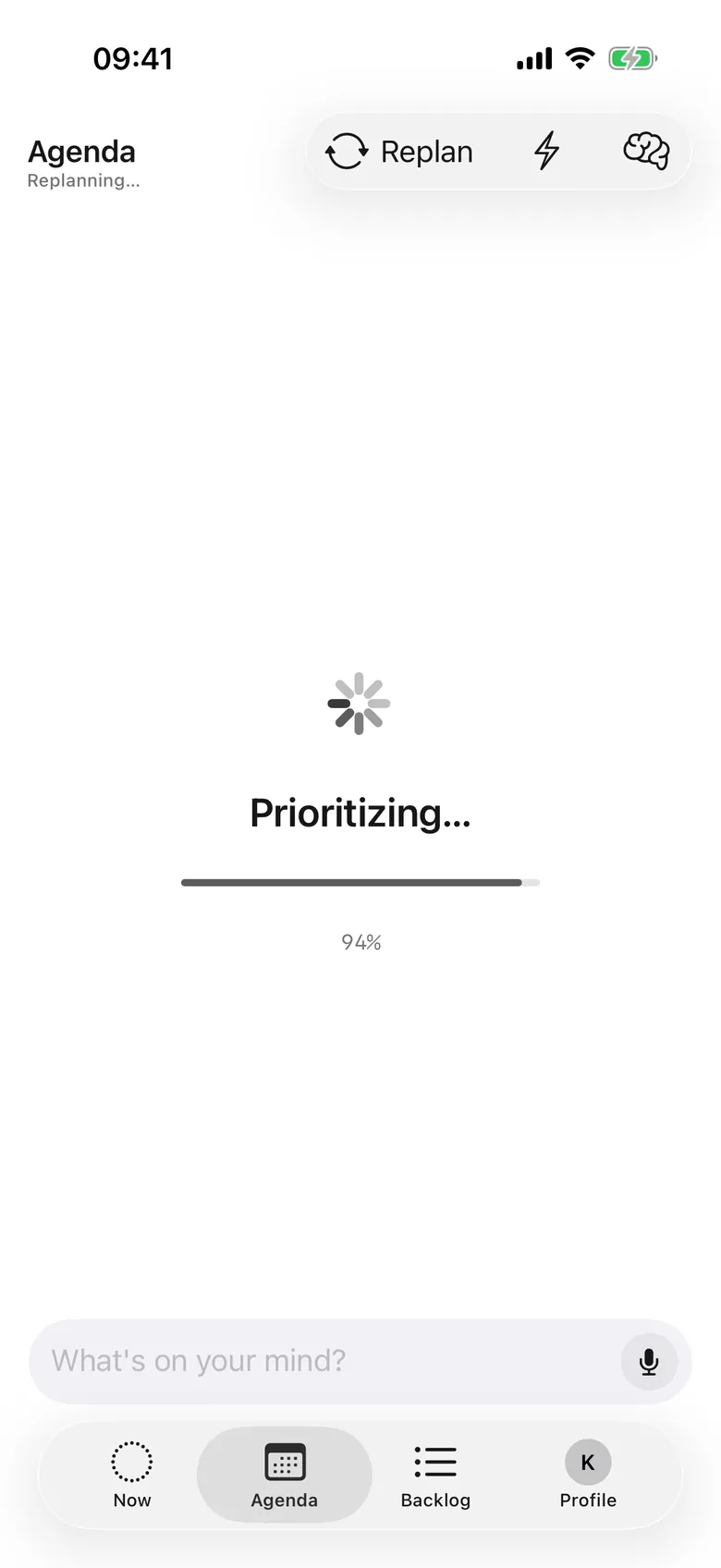
Meeting ran long? Energy dropped? Tap Replan and Slycora rebuilds the rest of your day from where you are. What is done stays done. And when you finish a task, tell Slycora how it felt. It remembers, so your next plans fit you better.
- YouTap Replan.
- SlycoraMoves the rest of the day to fit.
- WhyA bad hour does not break the whole day.
Reminders that get through.
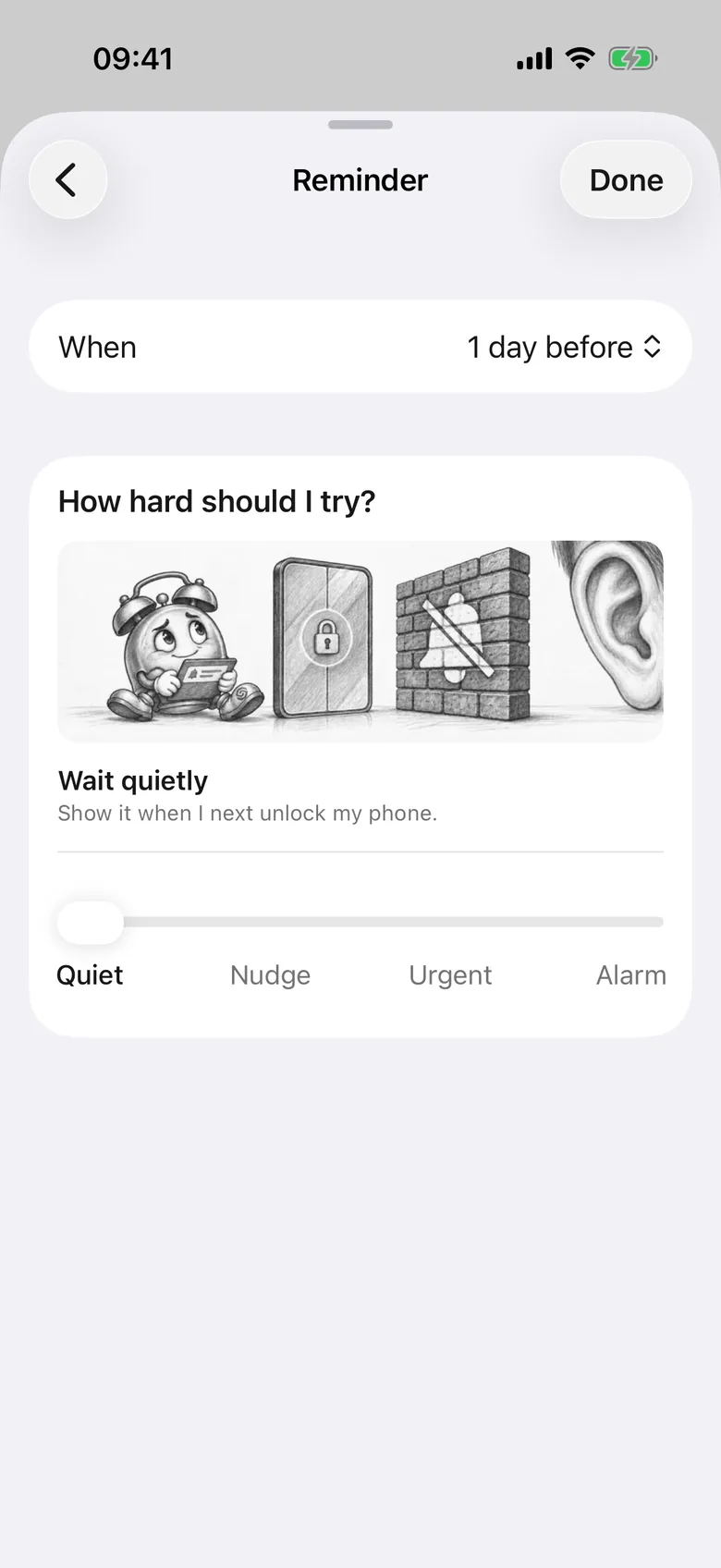
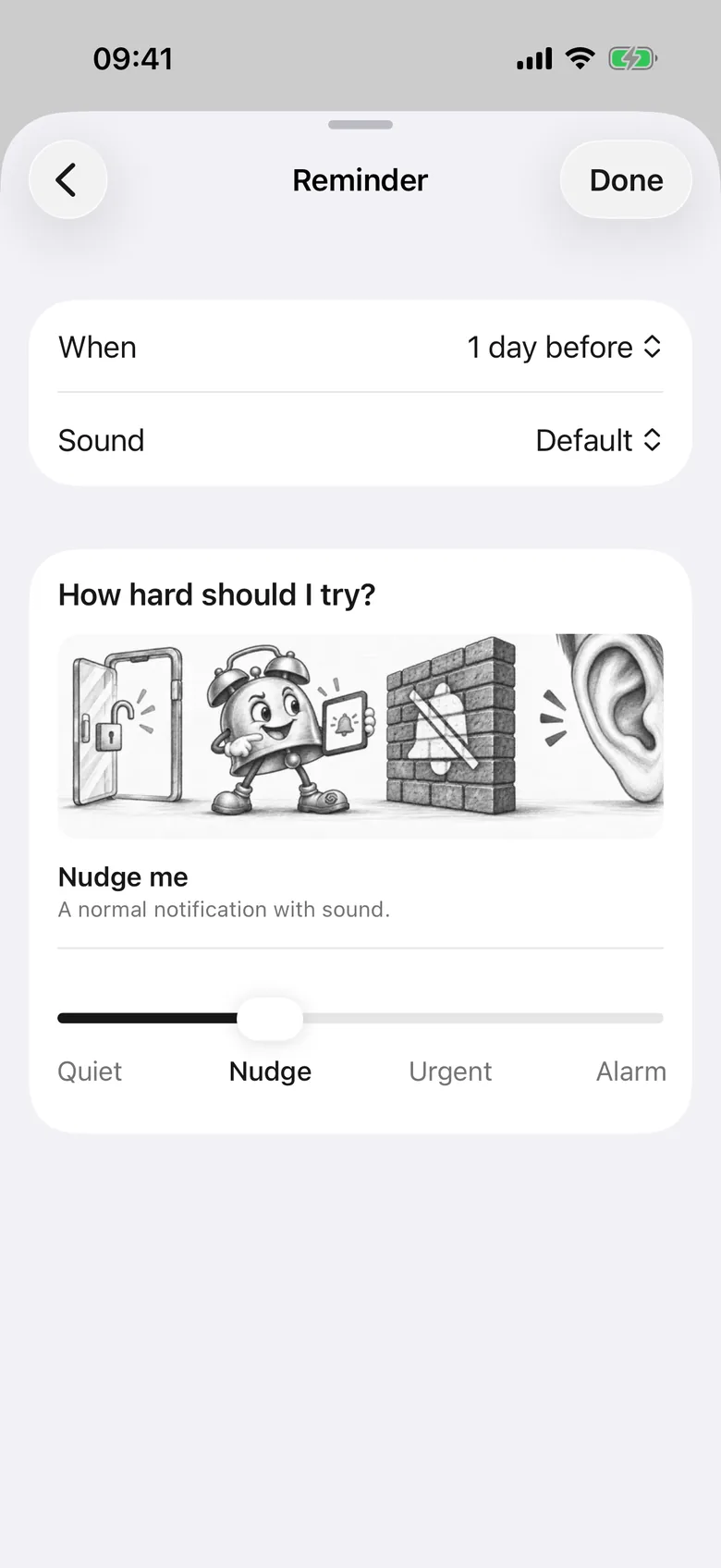
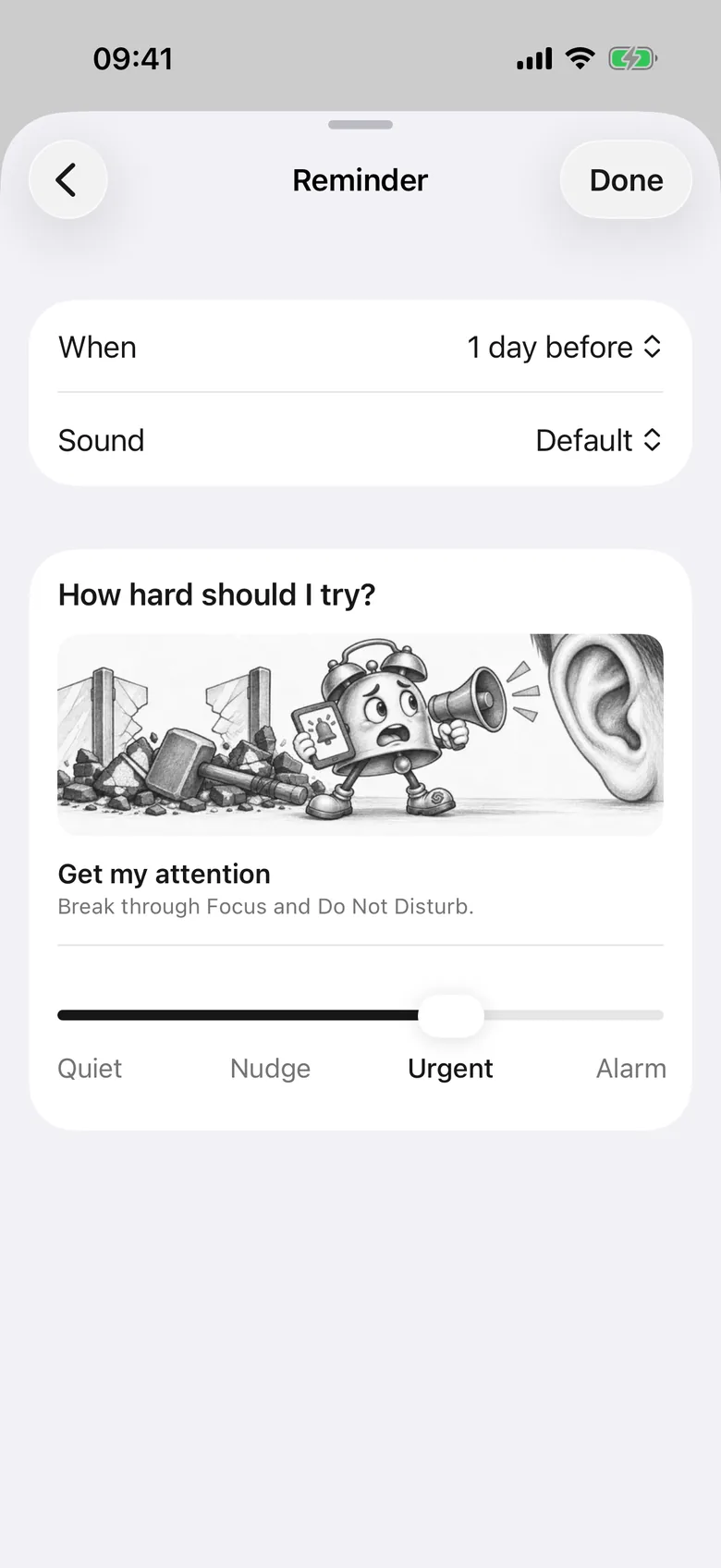
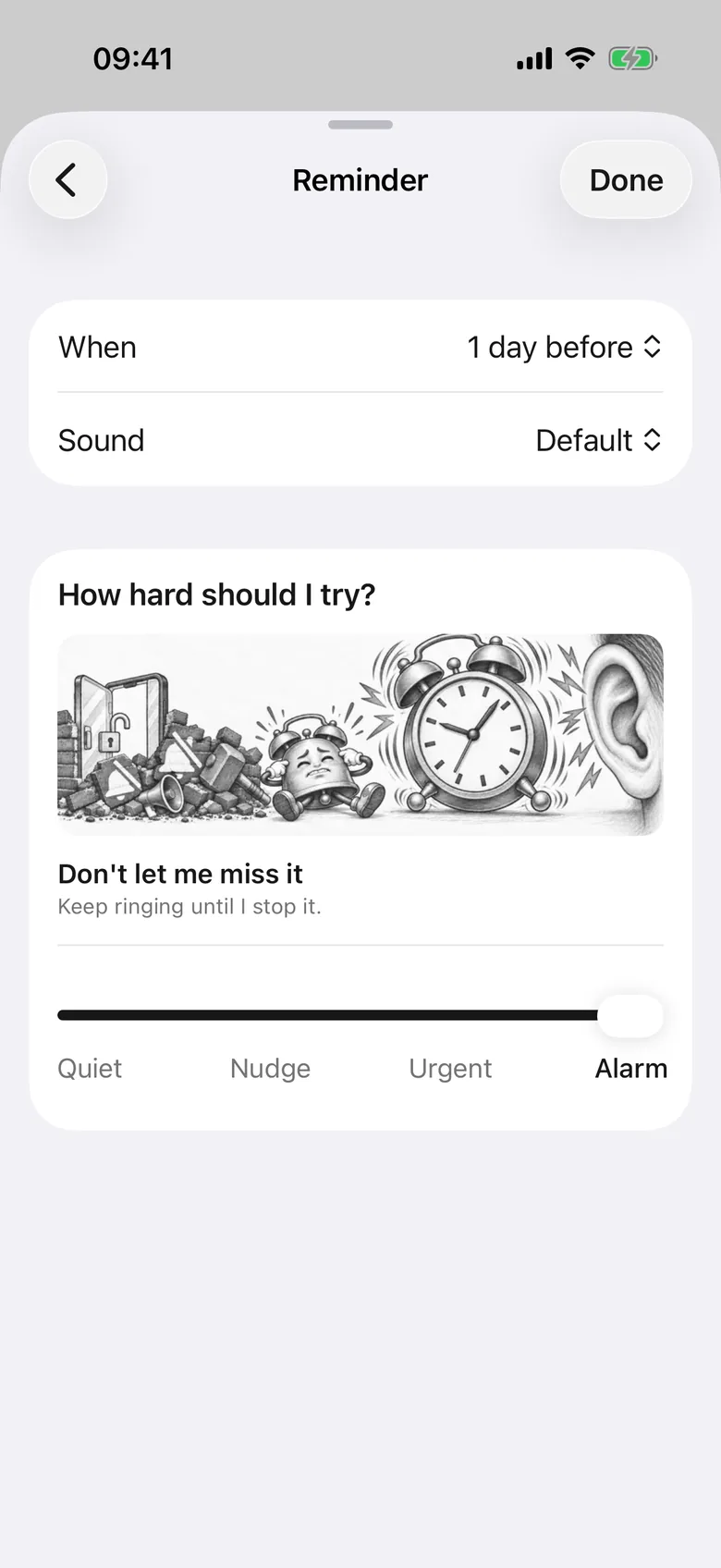
Add a reminder to a task and choose how hard it tries. Quiet waits until you unlock your phone. Nudge is a normal notification. Urgent breaks through Focus and Do Not Disturb. Alarm keeps ringing until you stop it, and it needs a task with a start time.
- YouPick a level with the slider.
- SlycoraReminds you the way you chose.
- WhyA reminder you cannot miss is one less thing to hold in your head.
Everything below is shipped.
Capture without friction
From thought to task in under a second.
- A.1
Voice braindump
Speak many tasks at once. Slycora splits them apart and flags duplicates so nothing doubles up.
- A.2
Quick text capture
An always-on “What's on your mind?” bar so a thought never has to wait.
- A.3
Share, Reminders and Spotlight
Share to Slycora from any app, do a one-time import from Apple Reminders, and find tasks from iOS Spotlight.
Scoring you can trust
Every priority comes with a plain-English reason.
- B.1
RUI scoring
Relevance, Urgency and Impact, each with a plain-language reason you can open and read.
- B.2
Effort awareness
Separate mental and physical effort estimates so heavy and light tasks land at the right time.
- B.3
Clarity check
Vague tasks get gently flagged so you can sharpen them before they sit in your list.
Planning around real life
Set it once. A day that fits.
- C.1
Energy budgets
Set mental and physical capacity for a realistic day on a simple 1 to 4 scale, then say how you feel today: Light day, Normal or Full power.
- C.2
Capacity-aware daily plan
Slycora plans up to seven days ahead, never beyond the energy you have. You choose how many days to plan.
- C.3
Calendar as constraint
One-way sync brings in your events as fixed blocks. The plan flows around them.
Doing, not deciding
One screen, one next step, zero negotiation.
- D.1
Now, Agenda and Backlog
Three views, zero manual list management. The right one shows up at the right time.
- D.2
Why now? Why this plan?
Tap to see, in plain English, why this task is next and why the whole plan looks the way it does.
- D.3
One-tap adaptive replan
Day shifted? Hit Replan. Slycora rebuilds from where you are. Finished tasks auto-advance to the next one.
Stays out of your way
Quiet by default. Available when you need it.
- E.1
Distraction-free mode
Tap Focus to hide scores, durations and badges when you want to focus on the task in front of you.
- E.2
Widgets and Live Activity
Home-screen and lock-screen widgets plus Live Activity quick actions: done, timer, postpone, voice from the lock screen.
- E.3
Works offline
Read your plan anywhere. Changes queue locally and sync as soon as you reconnect.
- E.4
Reminders
Add reminders to a task and choose how loud each one is: Quiet, Nudge, Urgent or Alarm.

Ready to start moving?
Skip the list management. Get a day that fits.

14 days free. No card needed.